 smartid
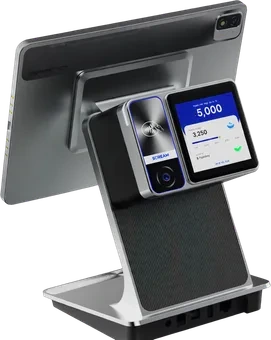
SID A100
10.95" + 3.95" POS — POS with Palm Payment
The dual-screen POS terminal that powers cafeteria orders, palm payments, and real-time reporting in your cafeteria or retail environment.
Products
smartid EDUTIMEsmartid TIMEsmartid POS smartid MOBILEAll devices Time AttendancePoint of SaleAccessoriessmartid POS incorporates AI in the Design & Development to generate comprehensive features in POS Operations. This Point of Sale system uses secured Cloud Server Infrastructure and Palm Technology to facilitate Operations. Seamless Orders & Payments.
Just order and scan your Palm to authorise payment. It’s Cashless, Easy, Fast, Secure and Convenient. If you plan to Upgrade or just Starting New, do it right with seamless onboarding experience. Made for School Cafeterias where Mobile Phones are not allowed.
Features
SID A100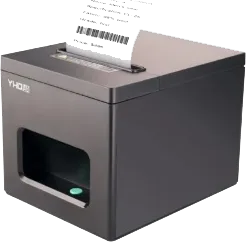 SID 80-PRKitchen Printer
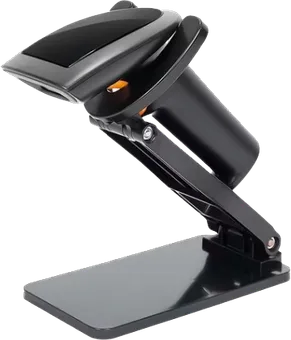 SID 2D-WSBarcode Scanner (Wireless)
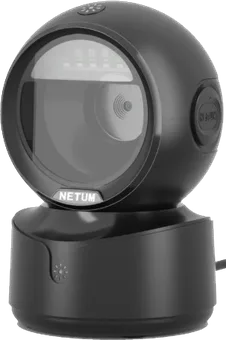 SID 2D-OSBarcode Scanner (Omni)
Suitable for:
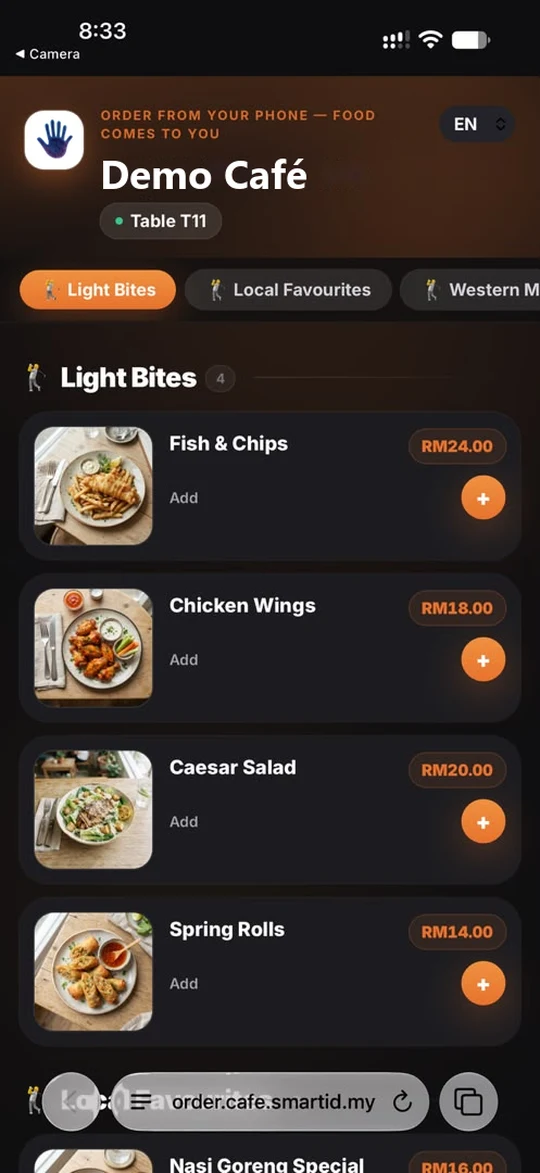
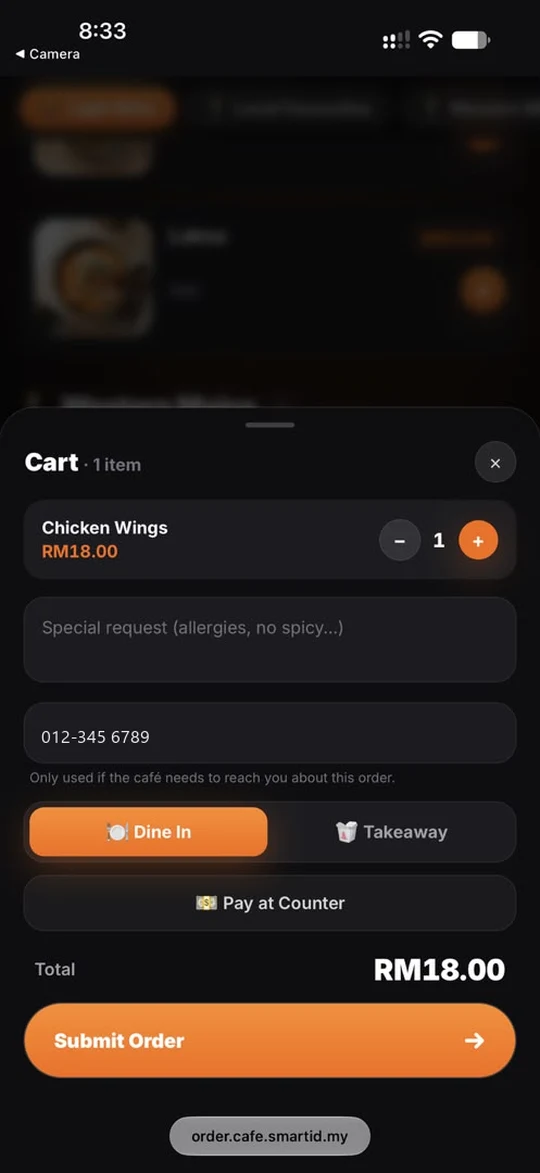
smartid POS · order.cafe.smartid.my
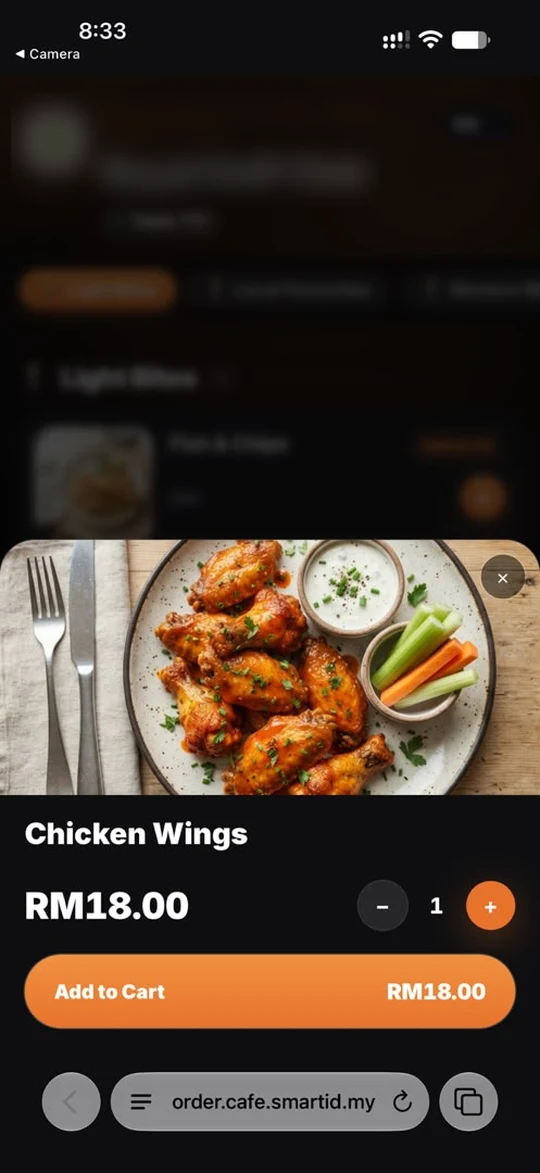
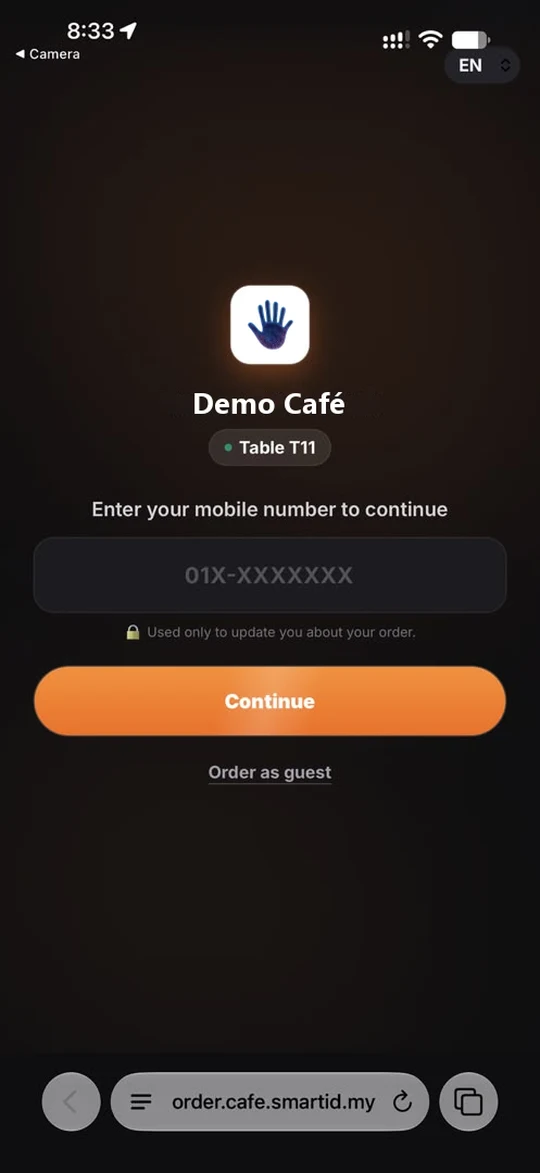
Customers scan the QR on the table and order from their own phone. No app to install.
smartid POS · POS System for School Cafeterias & Businesses
smartid POS can be implemented in 3 ways. Contact sales@smartid.my to purchase the right smartid POS for your business.
Purchase the smartid POS + Palm Scanner (Preferred POS Device: SID TM51-T or SID A100-T + Palm Scanner: SID TM-PLS-P)
With the Palm Scanner, Students can make Cafeteria Payment by just waving their Palm. No Cash, No ID Card, No Fingerprint, No Facial Recognition and No Mobile Devices required.
Many Cafeterias are still ignorant that RFID Payment Cards can be easily cloned and thus, it should not be considered at all. Fingerprint Recognition is simply Unhygienic while Facial Recognition cannot resolve the differentiation of Twins. So, to implement Cashless Payment in Schools, the best solution is to use Palm Payment Technology.
Purchase the smartid POS only (Preferred POS Device: SID TM51-T or SID A100-T). No Palm Device is required unless you want to implement Customer Palm Payment. Merchant can use their existing Merchant Payment Device or QR Payment to facilitate Customer Payment.
Add Kitchen Printer (Preferred: SID PR-80) if you need to integrate Kitchen Operations.
Purchase the smartid POS + Barcode Scanner (Preferred POS Device: SID TM51-T or SID A100-T) + Barcode Scanner: SID 2D-WS (Handheld) or SID 2D-OS (Omni)
Add Palm Scanner: SID TM-PLS-P if you want to implement Customer Palm Payment.
On Notebook/Desktop:
On the POS Device:
On Notebook/Desktop:
On the POS Device:
smartid POS
From the scanner at the counter to the sales report at the end of the day.
smartid POS software is equipped to support palm payment — ideal for school environments. No cash, no ID cards, no facial or thumbprint scan, no QR codes, no RFID bands. Just your palm to pay — fast and secure.
Waiter/waitress mobile ordering with geo-fencing to prevent fraud. Shows Table Order List, Order-IN, Order-OUT, Order SENT, Order CANCEL, Order PAID. Station management routes Kitchen, Drink, Dessert or Bar orders to the right station printer.
Create, edit, delete, and suspend POS system users. Schedule employees and clock employee attendance.
Every transaction saves locally and backs up to the smartid Cloud. If a POS is faulty or stolen, operations resume on a replacement device with data and settings restored on authorization.
Preset item categories and sales items, further customizable with item descriptions and item options.
Track stock items, assets, and stock order lists, plus recipes — monitor order date, supplier, quantity, cost, expected delivery, and receive date, with ingredients and food proportions maintained per recipe.
Self-order via QR code with geo-fencing to prevent fraud, showing the full order list to customers and staff.
Annual, monthly and daily sales displayed to authorised users, with top-5 favourite items tracked for strategic positioning, plus expenses by category to analyse cost of operation and net profit.
Enable or disable table reservations — supervisors can implement and manage customer reservations and monitor which tables are reserved.
Generate a table QR code, assign the number of pax to a table, and monitor tables as Occupied, To Be Cleaned, Ready, or Reserved — or change tables as needed.
Hardware Ecosystem
Everything you need for biometric attendance, cashless payments, and seamless retail operations.
SID A100
The dual-screen POS terminal that powers cafeteria orders, palm payments, and real-time reporting in your cafeteria or retail environment.
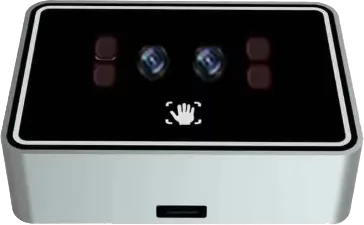
SID TM-PLS-P
SID 2D-OS Optional
SID 2D-WS Optional
All devices are fully integrated with smartid EDUCAFE for a secure and seamless experience.
Eliminate cash handling, reduce queues, and get real-time sales visibility.