
School Time Attendance System
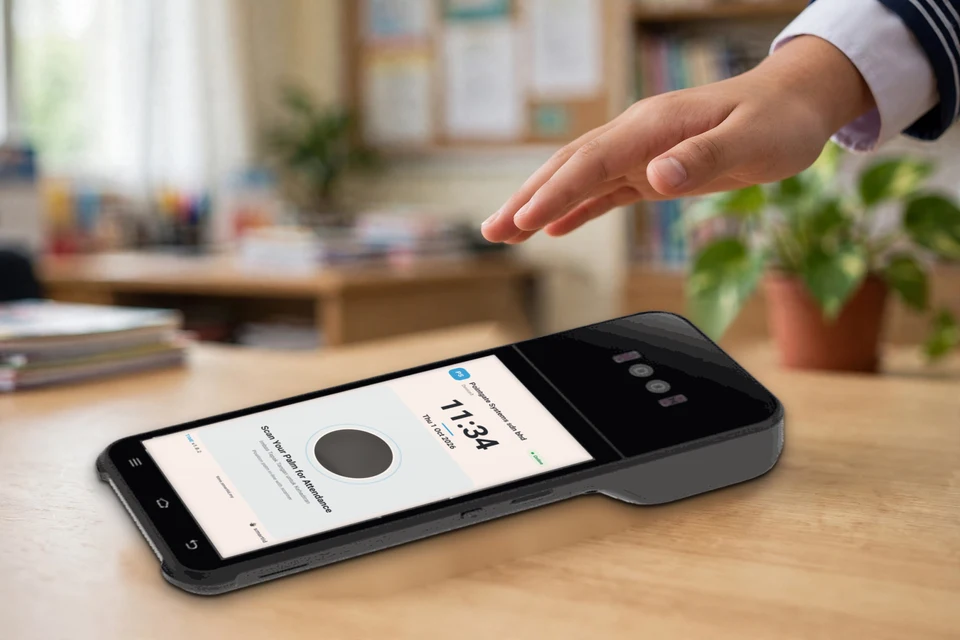
Managing Time Attendance for Teacher, Staff and Student is getting easier with the help of AI and Palm Biometrics. Take Attendance by Flashing your Palm. No need for Punch Cards, ID Cards or Un-Hygienic Thumbprints. With EDUTIME, everything is integrated and accessible via Cloud Infrastructure.
All you need is the Palm Attendance Device to Record Attendance, Palm Scanner Module to Register Users and a WIFI connection. No complicated Setup. Fast Onboarding via Web.
Made for Schools
Features
- Dashboard Infographics
- Attendance Management
- Mobile Support
- User Management
- Biometric Management
- Leave Management
- Holiday Management
- Attendance Report
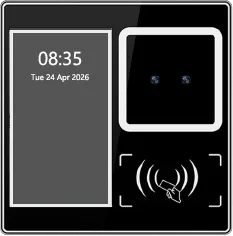 SID TM51-P
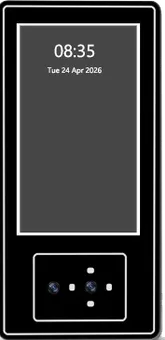 SID TM51-XP
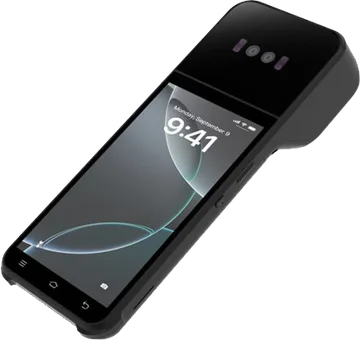 SID Z92P
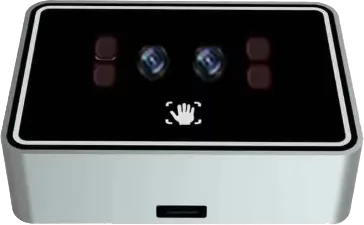 SID TM-PLS-P
smartid EDUTIME · School Time Attendance System
Getting Started
Time Attendance can be implemented with or without Palm Time Attendance Device.
With Palm Time Attendance (Preferred)
For Teacher, Staff and Student: Use Palm Time Attendance Device to record Attendance using Palm. Multiple devices can be placed at various locations in the school to facilitate recording of Attendance from different locations. Please contact sales@smartid.my to purchase the Palm Time Attendance Device.
Without Palm Time Attendance
For Teachers and Staff only: Use smartid MOBILE App on your Mobile Phone to record On-Site Attendance, Away Attendance. For Student: Class Teacher will use smartid MOBILE App to take Student Class Roll.
How To Register:
- On the Main Website (www.smartid.my), Select the Menu Register and Select EDUTIME to Register your School and Super Admin.
- Search for your School or Create a New School if it’s not in the existing School Database.
- Check your Email and Confirm
- Go to edutime.smartid.my and Sign-In with your Email and Password.
- Go to User Management and Add Users (Teachers, Staff, Student and Parents).
- Super Admin can assign Admin Role to Teachers and Staff to allow them to help register (+Add) other Users.
- Inform registered Teachers, Staff and Parents to download the smartid MOBILE App at Play Store or App Store and complete the Registration.
Hardware
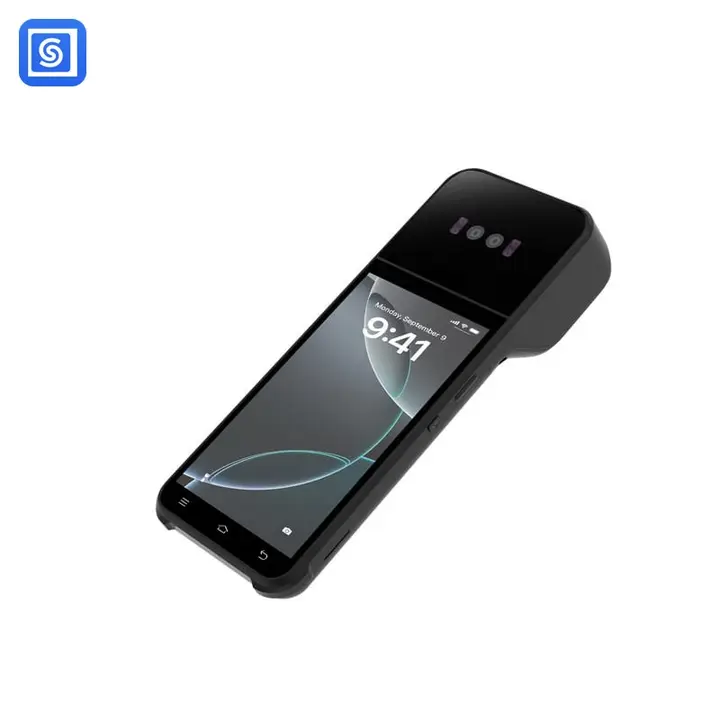
A Handheld Terminal for Attendance Anywhere on Campus
Alongside fixed palm devices at building entrances, smartid EDUTIME also runs on a portable handheld terminal — ideal for roll call in the classroom, sports day, field trips, or any spot on campus without a fixed scanner installed.
- Built-in palm & NFC card reader
- Android-powered touchscreen
- Portable, battery-powered design
- Syncs to smartid Cloud over WIFI/4G
Software
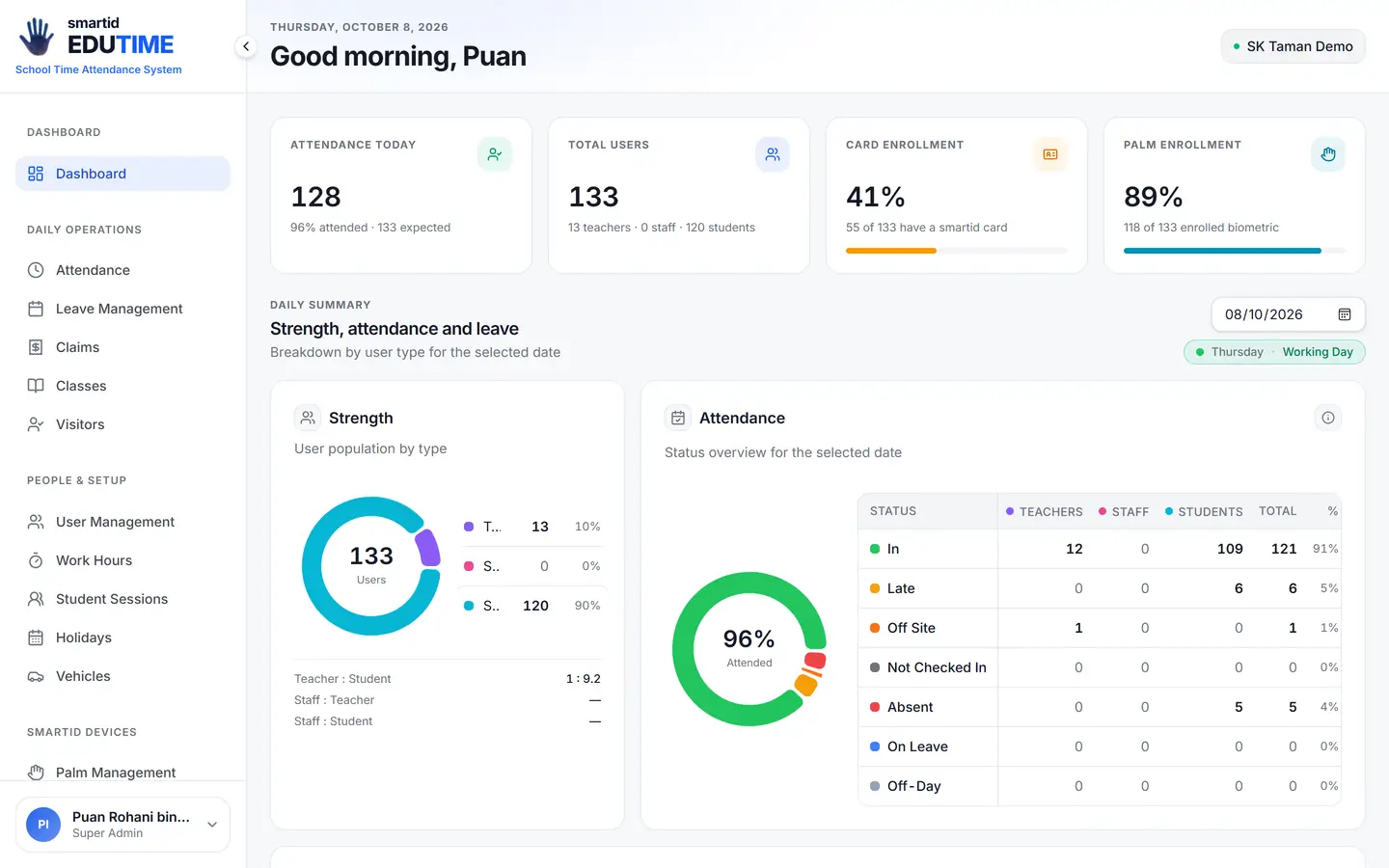
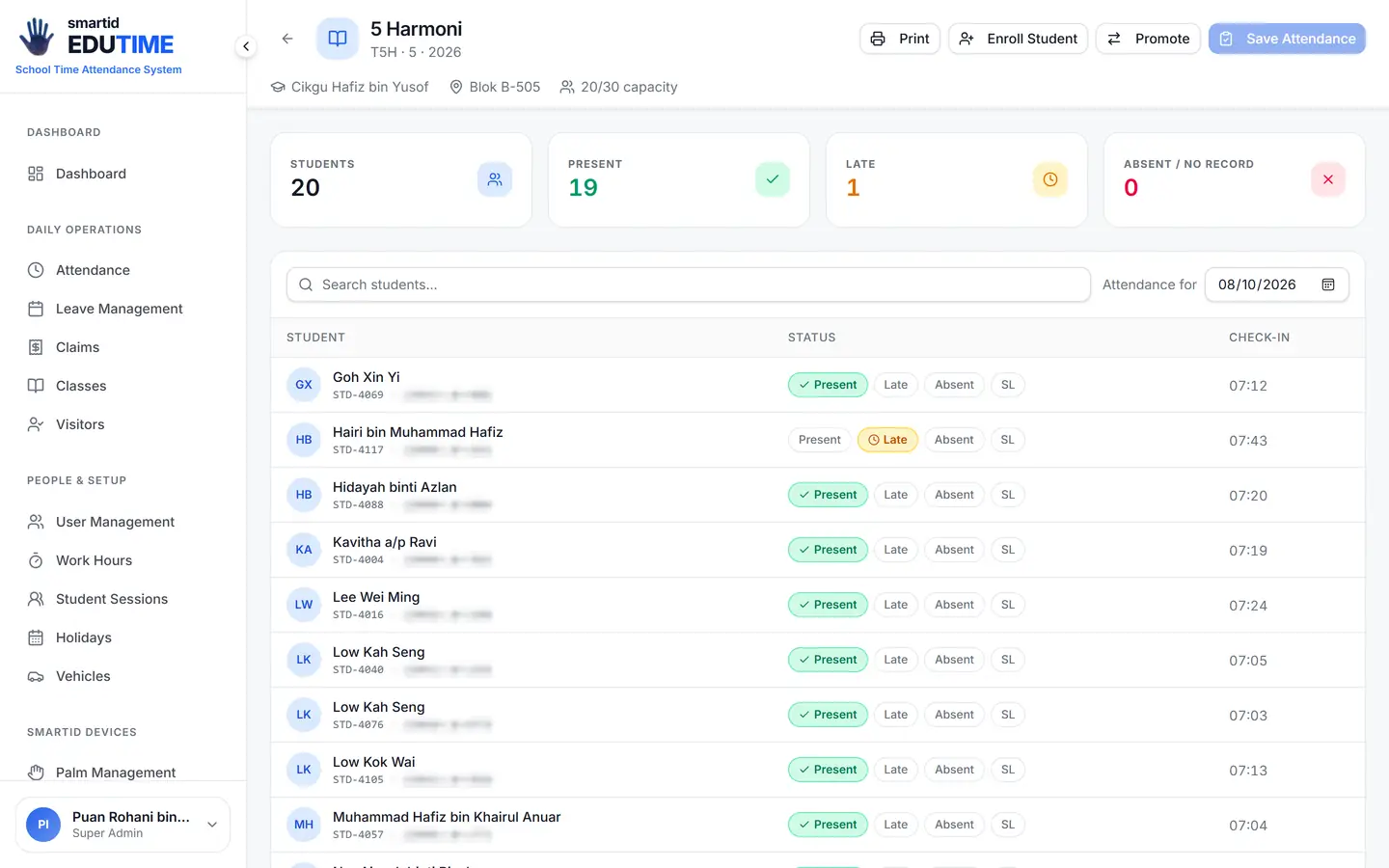
The smartid EDUTIME School Admin Dashboard
Attendance, palm enrollment, and user management — all from one web dashboard built for school administrators.
How It Works
One Cloud, Two Ways to Check In
smartid EDUTIME is customised to meet attendance requirements at government and public schools. Palm recognition devices are installed at building entrances — students, teachers and staff scan in, and the record syncs to smartid Cloud instantly, visible on the School Admin dashboard.
For teachers and staff on outside duty — events, meetings, training — the mobile app records attendance using geo-location services, so time is never lost to paperwork and false attendance can't slip through.
Cloud
smartid EDUTIME
Everything You Need for School Attendance
From the scanner at the gate to the leave approval on the principal's desk.
Dashboard Infographics
Display infographics on personnel attendance. Monitor users Present, Absent, Away and On-Leave, with a list of leave applications and attendance groups.
Biometric Management
User palm registration using SID TM-PLS-P and the smartid EDUTIME web application, with optional user NFC card registration.
Attendance Management
Palm or NFC card scan showing On-Time, Late, and Off-Site attendance, with customisable user groups, work periods, and admin override.
Leave Management
Customizable leave types, user leave entitlement and balance, leave application and notification.
Mobile Support
Attendance via mobile phone with recorded user location for mobile attendance — on-premise attendance is recorded on both web and mobile.
Holiday Management
Auto-updated public holidays based on state and country API, plus special holidays and assigned weekend days.
User Management
Import/export user lists, create, edit, delete, list and search users, customize user groups and work schedules, and control user access.
Attendance Report
Display daily, monthly and annual attendance reports, list attendance by user or department, and print attendance reports in PDF.
smartid EDUTIME · Parent alerts
From the school gate to a parent’s phone.
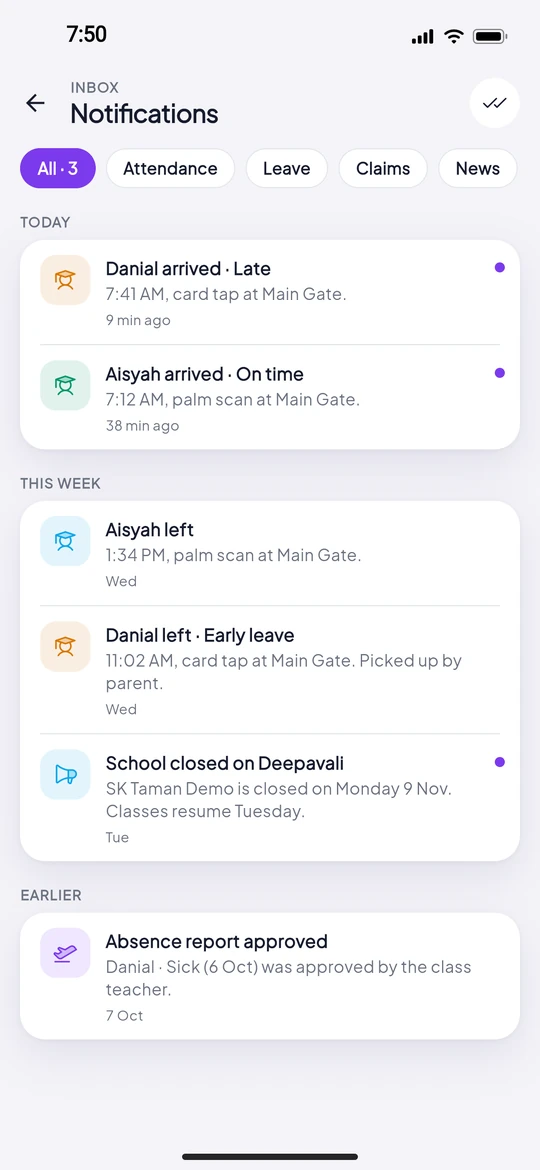
One palm scan does three jobs: it records attendance, updates the class roll, and tells the parent their child has arrived.
07:12
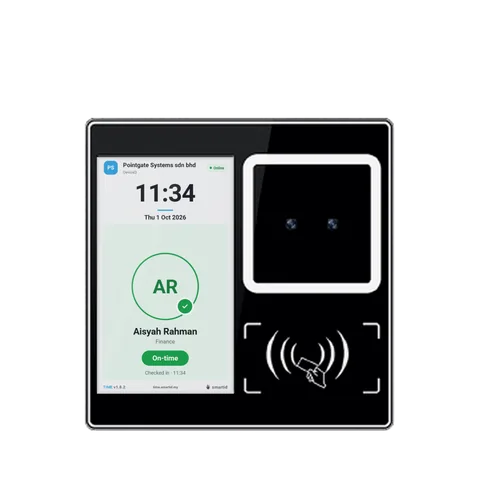
At the gate
Aisyah holds her palm over the terminal at Main Gate. No card, no queue at a fingerprint pad.
- ARAisyah · 5 HarmoniPalm · Main GateOn timeDNDanial · 5 HarmoniCard · Main GateLate
07:12
smartid Cloud
The check-in is recorded against her class and the school’s work period: On time.
 smartid · nowAisyah arrived · On time7:12 AM, palm scan at SK Taman Demo, Main Gate.
07:12
Parent’s phone
Her parent gets an arrival alert on the smartid MOBILE App.
- smartid · 1:45 PMAisyah left1:45 PM, palm scan at SK Taman Demo, Main Gate.
13:45
Check-out
When she leaves, the parent gets a second alert, so the whole school day is visible.
Privacy & PDPA
Biometrics, handled with care.
Palm data belongs to the person it came from. Here is exactly what smartid does with it.
Read the Privacy PolicyA template, not a photo
Your palm is stored as an encrypted template, not as a picture of your hand.
Deleted within 30 days
When someone is removed, their palm data is deleted within 30 days.
PDPA-aligned consent
Enrolment follows a consent flow aligned with Malaysia’s Personal Data Protection Act.
Built for Malaysian calendars
Malaysian state holidays, a Friday prayer break setting, and leave types including Emergency leave drawn from Annual.
Get smartid EDUTIME at Your School
Contact our team to schedule a demonstration at your institution.